Create story in Text, GIF, Image, Audio and Video format.
ABOUT THE APP
App with multiple features.
A story telling mobile application wherein a user can tell a single tale (story) using 5 story telling tools.
For eg you can tell part of the tale (story) by a video , part by text, part by image, by gif or part by sound .
The story can be fiction, non-fiction, review, recipe, travelogue etc. Once the story is created, the user can share the story on the V-tell-tale platform and attract Fans ( followers ). Likewise , the user can also follow other users and be part of their FAN CLUB.
The business cerrent account that is your accounting
0+
Users
0+
Download
0+
5 Star Rating
How the App Works
A story telling mobile application wherein a user can tell a single tale (story) using 5 story telling tools.
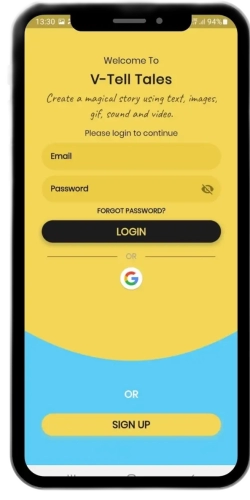
LOGIN SCREEN
You can create a new profile or you can use your gmail account to login
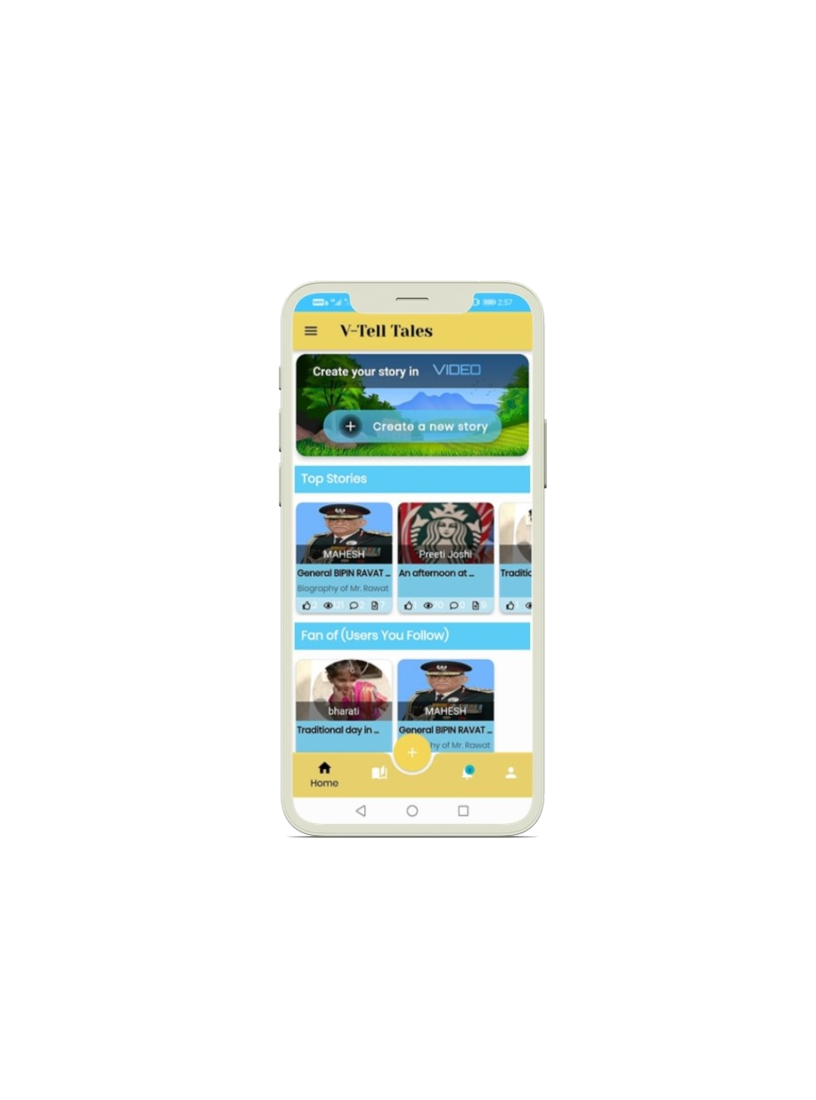
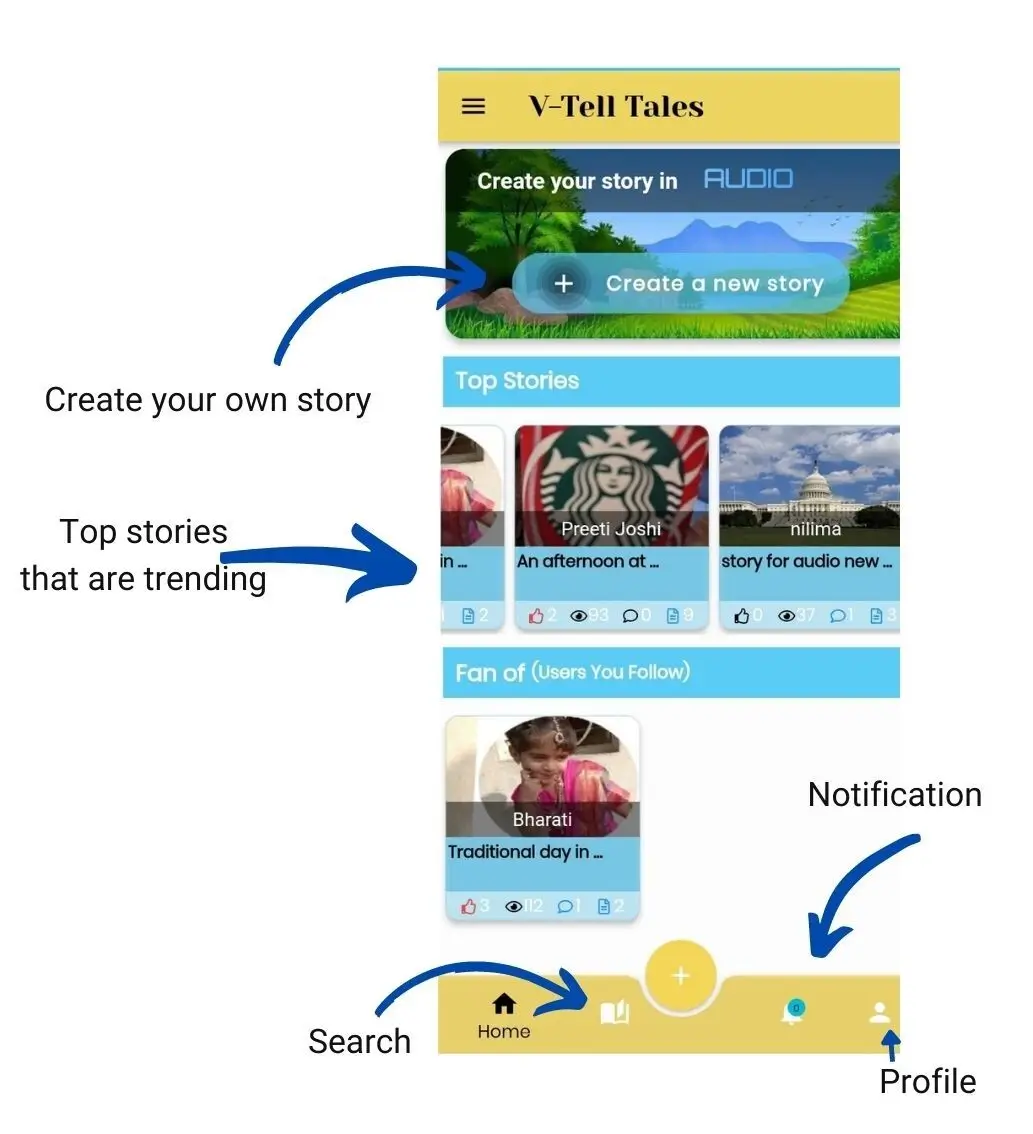
HOMEPAGE
On the homepage you have the following options
◉ Create your story
◉ Browse through the top stories trending.
◉ Browse through the stories of the ones you are a fan of ( follow)
◉ Search for stories
◉ Check Notifications
◉ Create your Profile
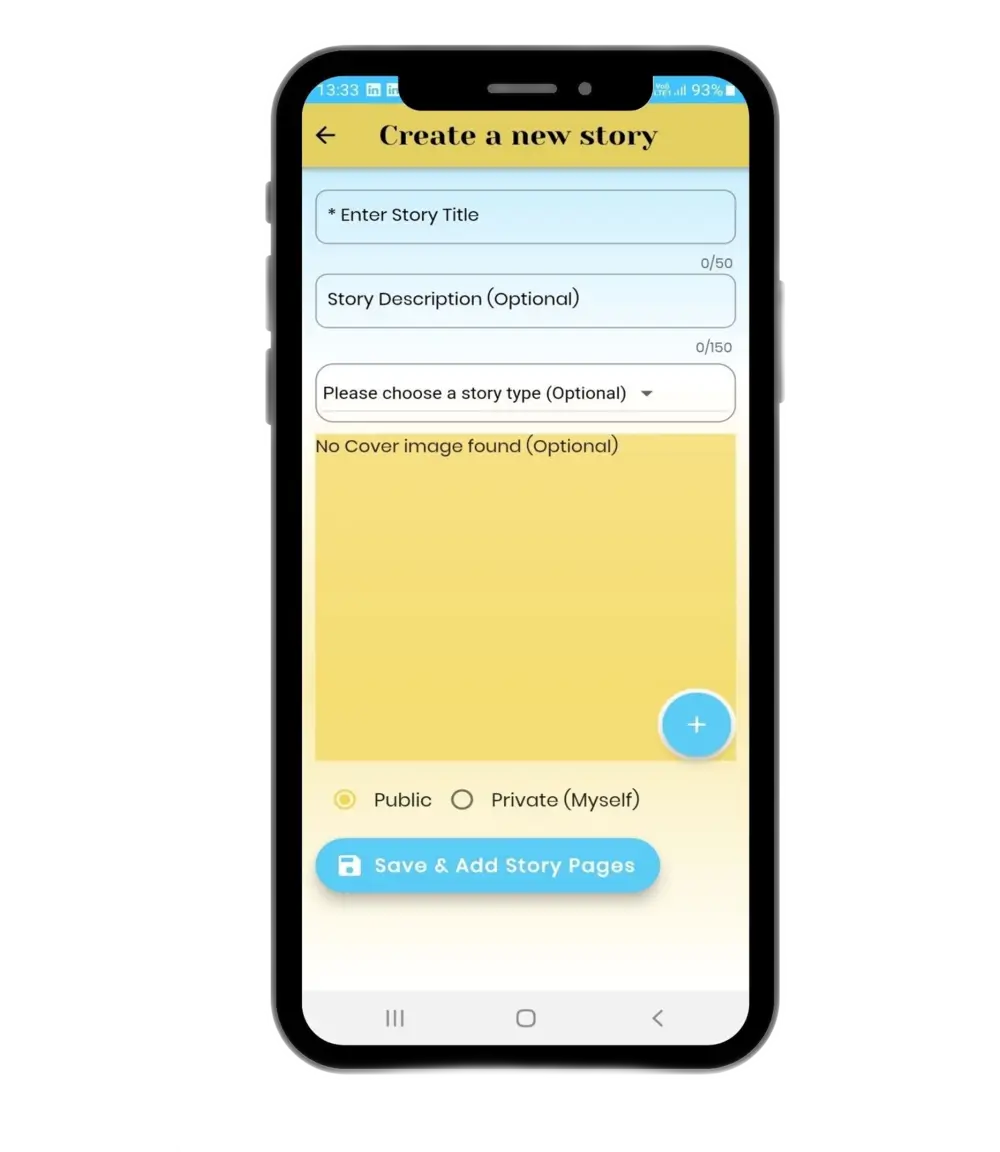
CREATE A NEW STORY
◉ Story title - a short title relevant title . This is mandatory
◉ Story description - This is optional . Describe your story in one line so users know what the story is about and will captivate interest.
◉ Story type - Optional . You can chose from the given categories:
► Fictional
► Non-fictional
► Reviews
► Recipes
► Travelogues
► Others
Categorising your tale/story will help your story/tale to appear more often when a user is searching for certain types of tale.For eg if a user is searching for a recipe, he can use the keyword ‘Recipe’ in the search bar and all the stories under the Story type ‘Recipes’ will appear on the top of the search.
◉ Story cover - Optional . A story cover is like a poster to a film. The more attractive it is , the more eyeballs it will attract . So get creative and design an attractive cover page for your story.
If you skip the cover page, the ‘Story title’ will appear as your cover page by default.
◉ Publish - You can publish a story publicly for all the users to view or you can publish a story privately for your eyes only.
After filling in the details click on ‘Save & Add Story Pages'
STORY PAGES
Step 1 : Add the number of pages for your story.
Step 2 : Return to Page 1 and Select the Story Tool you want to use.
Step 3 : Story Tools are Text, Pictures, GIFs, Audio and Video.
Step 4 : You can upload your own pictures and GIFs or you can choose from the App Gallery.
Step 5 : After you done designing each page, you can click on ‘Save & Exit’.
THE FINISHED TALE
App with multiple features.
The final story is presented in a way of slides. You need to swipe the slides left to go ahead and right to go to the previous. Each slide might contain an image or video or text or sound whatever the user feels is appropriate to tell their magical tale.
Market analysis
The business cerrent account that is your accounting
Financial advice
The business cerrent account that is your accounting
Innovative solutions
The business cerrent account that is your accounting
Optimal choice
The business cerrent account that is your accounting
Business strategy
The business cerrent account that is your accounting
Marketing outline
The business cerrent account that is your accounting
Testimonials
The business cerrent account that is your accounting software. A simple way to run your bussiness.
Bruce Hardy
paypal inc.
When, while lovely valley teems with vapour around meand meridian sun strikes the upper impenetrable
3/5
Mark Smith
Google Inc.
When, while lovely valley teems with vapour around meand meridian sun strikes the upper impenetrable
3/5
Vera Duncan
Amazon Inc.
When, while lovely valley teems with vapour around meand meridian sun strikes the upper impenetrable
3/5
We’ve established partnership with partners all over the globe.
When, while lovely valley teems with vapour around meand meridian sun strikes the upper impenetrable foliage of my trees thousand unknown plants .
Latest From The Blog
The business cerrent account that is your accounting software. A simple way to run your bussiness.